
Find your way around Jobwright
Jobwright keeps the conversation, work, and evidence in separate areas. Start in Search. Move to another area when you need a deeper view.
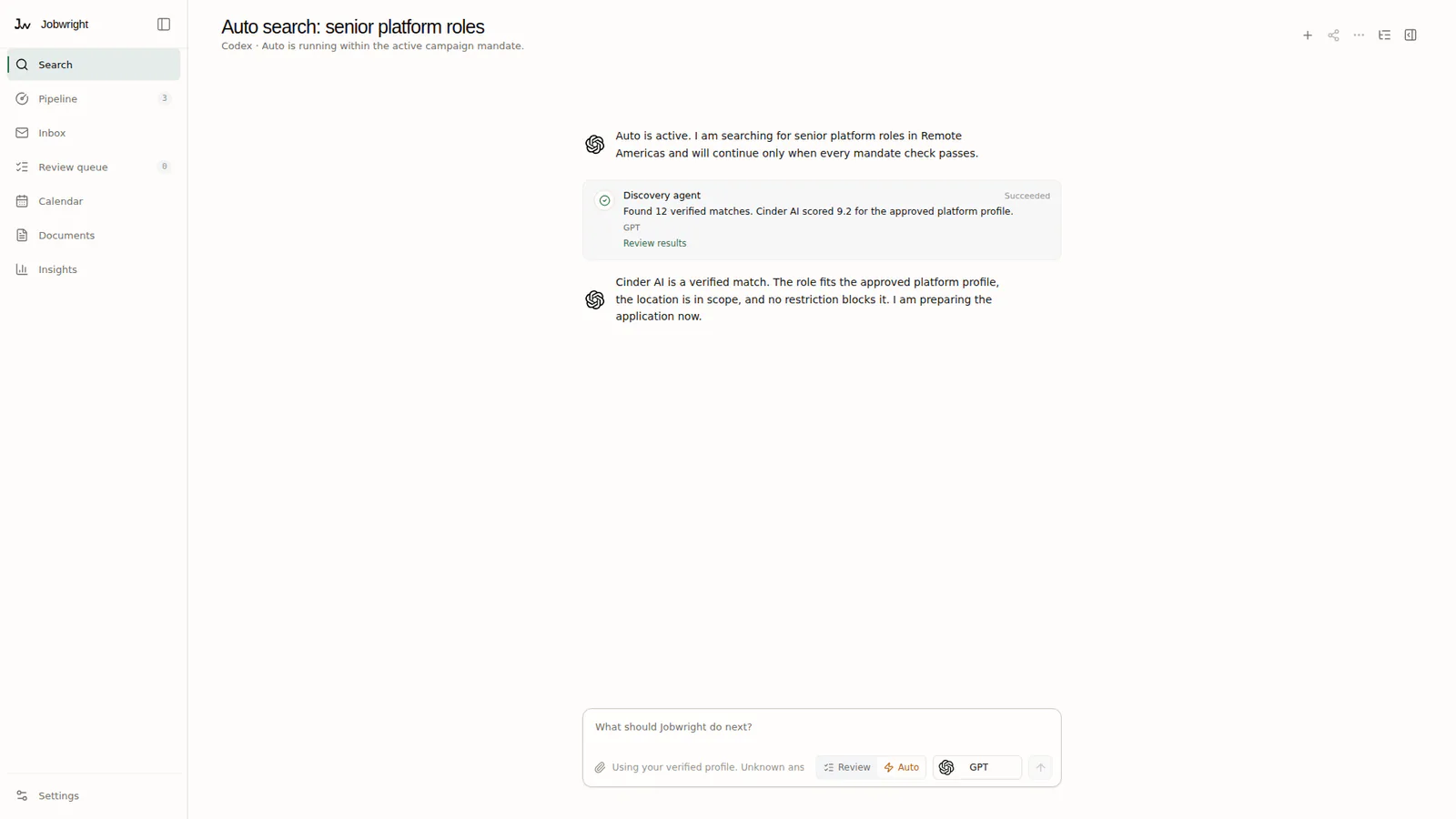
Main areas
Section titled “Main areas”- Search
- Talk to the agent and follow the current search.
- Pipeline
- Check searches, opportunities, applications, and updates.
- Inbox
- Read application mail that Jobwright linked to your search.
- Calendar
- Review interviews, deadlines, and proposed reminders.
- Documents
- Manage CVs and the exact files used by applications.
- Settings
- Control agents, connectors, action policy, data, and system health.
Start in Search
Section titled “Start in Search”Use Search to describe the work you want. The agent reports sources, progress, and blockers in the same conversation. If Jobwright needs one fact or one protected action, respond in that conversation.
Search does not replace the records. Open Pipeline to inspect searches, opportunities, applications, and updates.
Use the records when details matter
Section titled “Use the records when details matter”- Open Opportunities to compare fit evidence and known risks.
- Open Applications to inspect the current stage and application evidence.
- Open Activity to inspect the local action record.
- Open Insights to compare outcomes by source, role, workflow, or CV after enough applications exist.
Use Settings for defaults
Section titled “Use Settings for defaults”Settings controls future work. A policy change does not approve an action that is already waiting for you. Open the conversation or application that owns the waiting action.